How we migrate websites to Craft CMS
5th May 2026

6th June 2019
Roughly a 2 minute read by
Pinpointing speed bottlenecks is the first step you should be taking when trying to improve the performance of your website.
Fortunately, Google provides a handy tool called PageSpeed Insight which will measure the performance of a page on both desktop and mobile and generate a report of the findings. The report comes in the form of a performance score, alongside suggestions or “opportunities” on how you could potentially improve it.
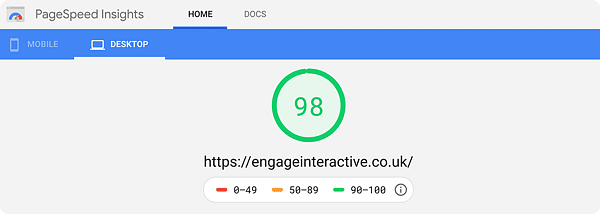
At the top of the report, PageSpeed Insights will present you with an overall score for the page’s performance. Google classifies a score of 0–49 as “slow”, 50–89 as “average” and 90–100 as “good”.
Before you panic, what Google considers to be an “average” score might actually be a “good” score for you; not all websites have the same purpose. A “brochure” website needs to impress and can be forgiven for having extra ‘gloss’, but if your website needs to sell then getting your pages loading as fast as possible should still be your primary focus.
53% of users abandoned a mobile site if it took more than 3 seconds to load.
5th May 2026
20th April 2026

7th April 2026

31st March 2026
